Pepper - Recipe Organizer
- 4.6
- Rating
- 100.00K
- Installs
- Free
- Price

 Analysis by App-foxy
I like recipe apps that solve a specific problem instead of trying to become an entire kitchen assistant, social network, and grocery service at once. Pepper - Recipe Organizer takes a more focused approach: it turns cooking ideas into a shared space where I can discover recipes and exchange them with friends. That social layer is the capability that matters most here. It changes the experience from quietly collecting recipes to building a small, personal cooking circle.
After spending time with the app, I found it most appealing for people who regularly cook with friends, trade family recipes, or need encouragement to try something beyond their usual rotation. It is available as a free Food & Drink app, developed by Pepper App Inc, with optional in-app purchases ranging from $3.99 to $89.99 per item. The app is rated for Teen users, and it runs on Android 8.0 or later.
Why Pepper’s social recipe capability feels different
The central idea is simple, but its effect is easy to underestimate. A normal recipe organizer is usually private: I save a recipe, perhaps add it to a folder, and return to it later. Pepper puts the recipe in a more conversational setting. Instead of treating cooking as a solo filing task, it gives me a reason to bring other people into the process.
You May Also Like

 AccuWeather: Weather Radar
AccuWeather Review: A Quick, Clear Forecast for Everyday Decisions
For everyday plans, the best forecast is the one you can understand quickly. AccuWeather makes rain timing, radar, and local conditions easy to act on, with a few trade-offs.

 Hill Climb Racing
Why Hill Climb Racing Still Turns Crashes Into One More Run
A tiny car, a bumpy hill and one more upgrade: Hill Climb Racing keeps resurfacing because its simple chaos makes every near-miss feel personal.

 AliExpress - Shopping App
AliExpress Makes Global Shopping Feel Personal, but Shoppers Bear the Risk
AliExpress turns a global marketplace into a pocket-sized discovery engine. Its reach is useful, its shopping loop compelling, and its trade-offs easy to miss.

 Lords Mobile: Kingdom Wars
Lords Mobile Is a Kingdom-Building Routine, Not a Quick Match
A case-by-case verdict on the building, battles, device demands, and social commitments that make Lords Mobile rewarding for some players and exhausting for others.

 PDF Scanner app - TapScanner
TapScanner Makes Paperwork Easier to Capture, Check, and Share
TapScanner makes scanning with a phone feel less like a rescue operation and more like a dependable step in getting work done. Its capture tools are useful, though not flawless.

 Block Blast!
 Shows How Much a Puzzle Game Can Leave Out
A quiet grid game shows why puzzle players increasingly value instant clarity, repeatable skill and low-pressure play—and where the genre still needs to catch up.
More From Our News Desk
View All News


That makes the app useful in situations where the recipe itself is only part of the decision. I may want to know what a friend is cooking, find something that someone else has already enjoyed, or share an idea without sending a long message and several screenshots. The social structure can reduce the distance between discovering a dish and actually preparing it.
I would not describe this as a replacement for a dedicated cookbook, a specialist meal planner, or a highly technical culinary reference. Its strength is not that it promises to teach every technique or manage every part of a household kitchen. Its strength is that recipes become easier to discuss and pass around among people who already have some connection.
The app’s public reception supports that appeal. It has a 4.7 average from around 1.6 thousand ratings, and it has passed 100 thousand installs. Those figures do not tell me whether every user will enjoy the social approach, but they do suggest that the concept has found an audience beyond a tiny group of early adopters.
Discovery is more useful when it leads to a decision
Recipe discovery can easily become an endless scroll. I have used cooking platforms where I saved plenty of attractive ideas but prepared very few of them. Pepper’s friend-oriented angle gives discovery a practical filter: a recipe shared by someone I know feels more relevant than a random suggestion, particularly when I understand that person’s taste or cooking habits.
This is one of the app’s less obvious advantages. Personal context can do more work than a large collection. If a friend shares a simple weeknight dish, I am more likely to consider it for a busy evening than an elaborate recipe that looks impressive but requires ingredients I rarely keep. The social connection helps turn inspiration into a realistic choice.
There is also a useful difference between sharing a finished result and sharing the recipe before cooking. A photo can show what someone made, but the recipe gives me something I can act on. When those two parts meet in the same cooking conversation, the app feels more purposeful than a general social feed filled with food pictures.
How I would use it in practice
I would begin by treating Pepper as a working collection rather than a warehouse. Instead of trying to save every appealing dish, I would keep recipes that fit recognizable situations: quick dinners, meals for guests, dishes to make with a friend, or ideas for using ingredients already at home. That approach makes the social feed and personal organization more useful because each saved item has a reason to be there.
The most effective workflow is to connect discovery with a small action. When I find something promising, I would share it with the person who might actually cook it with me, ask whether it suits their preferences, and then decide whether it belongs in my regular rotation. The app becomes a bridge between “that looks good” and “let’s make it this weekend.”
For a household, I would use shared recipe conversations to avoid repeating the same planning messages across several apps. Rather than copying ingredients into a chat and later searching for the original message, I could keep the recipe as the reference point and discuss it around that item. This is especially handy when two people have different cooking styles and need to agree on what is practical.
For a group of friends, the best approach would be to establish a theme without making it too formal. One week could focus on inexpensive comfort food, another on vegetarian dinners, and another on recipes that can be prepared in advance. Pepper’s value increases when the group has a reason to return instead of merely joining and forgetting about it.
I also see a useful role for family recipes. A traditional dish often travels through messages, handwritten notes, and memory. Keeping it in a shared recipe environment can make it easier for relatives to discuss variations and encourage younger family members to try it. I would still double-check every ingredient and instruction before cooking, but the social setting makes the exchange feel more alive than storing a static note.
A realistic weeknight example
Imagine I finish work late and have no clear dinner plan. A conventional recipe search might give me hundreds of options, which sounds helpful but can create another decision to make. In Pepper, I could look through recipes shared by people whose cooking habits I understand. If one friend tends to post straightforward meals and another prefers long weekend projects, I already have a useful clue about which suggestions fit tonight.
I might find a recipe that looks manageable, send it to a friend who has made something similar, and use that exchange to decide whether to cook it now or save it for later. The important benefit is not merely finding food. It is reducing uncertainty: does this suit the time available, is it the kind of dish my household will eat, and has someone I trust already tried it?
That workflow is more grounded than choosing solely from polished images. It also avoids one common problem with recipe platforms: the gap between visual appeal and everyday practicality. A social recommendation cannot guarantee success, but it adds a human signal that a search result alone does not provide.
Small habits that make the app more valuable
My first tip is to share selectively. If every recipe becomes a notification or conversation, the social side can quickly feel noisy. I would send recipes when I have a clear reason: a planned meal, a question about substitutions, or a genuine recommendation. A smaller stream of useful exchanges is better than a constant flood of links.
My second tip is to use people as a taste filter. I would pay attention to which friends consistently share recipes that match my schedule, budget, or preferred level of effort. Over time, those personal patterns can make discovery faster than browsing broadly. The app works best when I treat the community as a network of trusted recommendations rather than an unlimited catalog.
My third tip is to separate inspiration from commitment. A recipe can be worth saving even if I am not ready to cook it, but I would avoid pretending that every saved idea is part of my actual meal plan. When I revisit the collection, I would ask whether the dish still fits my life. This simple habit prevents the organizer from becoming another place where unfinished intentions accumulate.
A fourth useful habit is to share context along with the recipe. If I send a dish to a friend, I would mention why it caught my attention: it seems suitable for a busy evening, it uses an ingredient we both have, or it might work for a planned gathering. That extra explanation makes the social feature more useful than forwarding a recipe without any conversation.
The best scenario for Pepper
The app is at its strongest when cooking is already a social activity. It could suit roommates deciding what to prepare, couples building a shared rotation, friends exchanging reliable weekday meals, or families trying to keep traditional recipes in circulation. In each case, the recipe has a real audience and a reason to be discussed.
I would especially recommend it to someone who feels stuck between scattered recipe links and a private notes app. Those tools can store information, but they do not naturally create momentum. Pepper’s social design gives the saved recipe a next step: show it to someone, compare opinions, and make a plan.
It may also help people who are learning to cook but do not want a formal course. A beginner can discover recipes through friends and ask for practical guidance in a familiar context. That is different from reading a generic instruction page because the recommendation comes with some personal trust. Still, beginners should remember that social approval is not a substitute for checking cooking times, food safety, or dietary suitability.
For someone who hosts casual dinners, the app can serve as a lightweight idea board. I could collect dishes that friends have enjoyed, share possible menus, and keep the conversation centered on actual recipes. This is less rigid than a full event-planning tool, which is a benefit if the gathering is informal, but a limitation if I need detailed scheduling or guest management.
The app is less convincing for people who cook entirely alone and want a purely private system. If I only need a searchable archive, a notes application or a dedicated recipe manager may be faster and quieter. Pepper’s main advantage depends on participation, so a user with no interest in sharing or discovering through friends may not get enough from it.
Where the trade-offs become noticeable
The social focus introduces a dependency that a private organizer does not have: the experience is shaped by the quality of the people and recipes around me. If my circle rarely shares food ideas, the app may feel less active or less personally relevant. That is not necessarily a flaw in the recipe organization itself, but it affects how much value I receive from the central capability.
There is also a risk of confusing popularity with suitability. A recipe shared often may still be too complicated for my schedule, too expensive for my budget, or unsuitable for someone’s dietary needs. I would treat social discovery as a starting point, not a guarantee. The most useful judgment still happens in my own kitchen.
Another trade-off is focus. A social recipe app can encourage browsing when I should be cooking. If I open it while deciding on dinner, I may discover several new ideas and end up delaying the original decision. I would handle that by choosing a purpose before opening it: find one meal, send one recommendation, or review a short collection. Without that boundary, inspiration can become distraction.
People who expect advanced planning tools should set their expectations carefully. Pepper’s identity is built around sharing and discovering recipes with friends, not around replacing every other kitchen utility. I would still use a separate grocery list, calendar, nutrition tool, or detailed cooking reference when the situation demands one. The app fits best as the social layer in a broader routine.
The free entry point is welcome, but optional purchases between $3.99 and $89.99 per item mean I would pay attention before buying anything. The range is wide enough that users should understand what an optional purchase adds and whether it solves a problem they actually have. Someone who only wants to try the social recipe experience can begin without treating the app as a major commitment.
The Teen content rating is worth noting for families. It does not automatically make the app unsuitable for younger cooks, but parents should make their own decision based on how they want a social cooking space to be used. I would also encourage younger users to involve an adult when recipes involve heat, sharp tools, or unfamiliar ingredients.
How it compares with familiar alternatives
Compared with a standard notes app, Pepper offers a more natural setting for recipe exchange. Notes are excellent for private control and quick editing, but they usually require me to copy, paste, and manually explain everything to other people. Pepper is more appealing when the conversation around the recipe matters as much as the saved text.
Compared with a large public recipe website, Pepper feels more personal and potentially less overwhelming. Public platforms are often better when I need a very specific technique, a broad range of cuisines, or a large number of search results. Pepper is better when I want recommendations connected to people I know and a smaller path from discovery to action.
Compared with a private cookbook app, Pepper sacrifices some of the calm, structured feeling of a personal archive in exchange for interaction. If my priority is carefully categorizing recipes for years, a dedicated organizer may be the stronger choice. If my priority is getting friends involved and finding dishes through them, Pepper has the more distinctive reason to exist.
That distinction helped me decide where it belongs on my own phone. I would not make it my only cooking tool. I would use it when I want ideas to circulate among people, then rely on whatever other kitchen tools I prefer for shopping, timing, or detailed preparation.
Who gains the most from this app
I think Pepper is a good match for a person who cooks regularly but gets bored with repeating the same meals. It is also a strong fit for friends who already exchange food recommendations and want those conversations to be easier to revisit. The app can turn casual enthusiasm into a more organized cooking habit without making the process feel like project management.
It suits people who value trusted suggestions over anonymous volume. A smaller collection shaped by friends may be more useful than an enormous database if I know which recommendations match my taste and available time. That is the app’s most meaningful practical benefit in my experience: it helps me decide what deserves attention.
I would be more cautious recommending it to a user who wants strict nutritional tracking, detailed meal scheduling, professional culinary instruction, or a completely offline and private archive. Those needs call for more specialized tools. Pepper can complement them, but it should not be judged as though it were designed to replace them.
Device compatibility is reasonably broad for Android users, since the current version, 2.29.0, requires Android 8.0 or later. The app is free to install, which makes it easy to test whether friends will actually use the social workflow before spending anything. That trial matters because the app’s usefulness depends less on the idea alone than on whether my own cooking circle participates.
After using it, my recommendation is straightforward: try Pepper if you want recipes to be shared, discussed, and acted on with friends. Do not choose it merely because you need a silent filing cabinet for ingredients and instructions. The app earns its place when the human connection around food is part of the recipe experience.
For me, that focused purpose is more valuable than a long list of unrelated kitchen features. Pepper - Recipe Organizer is not the universal answer for cooking organization, but it offers a clear and enjoyable way to make recipe discovery more personal. If that is the gap in your current routine, I think it is worth exploring.
FAQs for Pepper - Recipe Organizer
01What is Pepper - Recipe Organizer and how does it work?
Pepper - Recipe Organizer is a mobile application designed to help users manage and organize their recipes efficiently. It allows you to save recipes from various sources, categorize them, and add personal notes. With features like shopping list integration and meal planning, it streamlines your cooking experience and keeps your culinary inspirations at your fingertips.
02Is Pepper - Recipe Organizer free to use?
Pepper - Recipe Organizer offers a free version with basic features that cater to most users’ needs. However, there is also a premium subscription available, providing advanced features like cloud sync, exclusive recipe collections, and ad-free browsing. This subscription enhances your app experience, offering more convenience and additional functionalities.
03Can I share recipes with others using Pepper - Recipe Organizer?
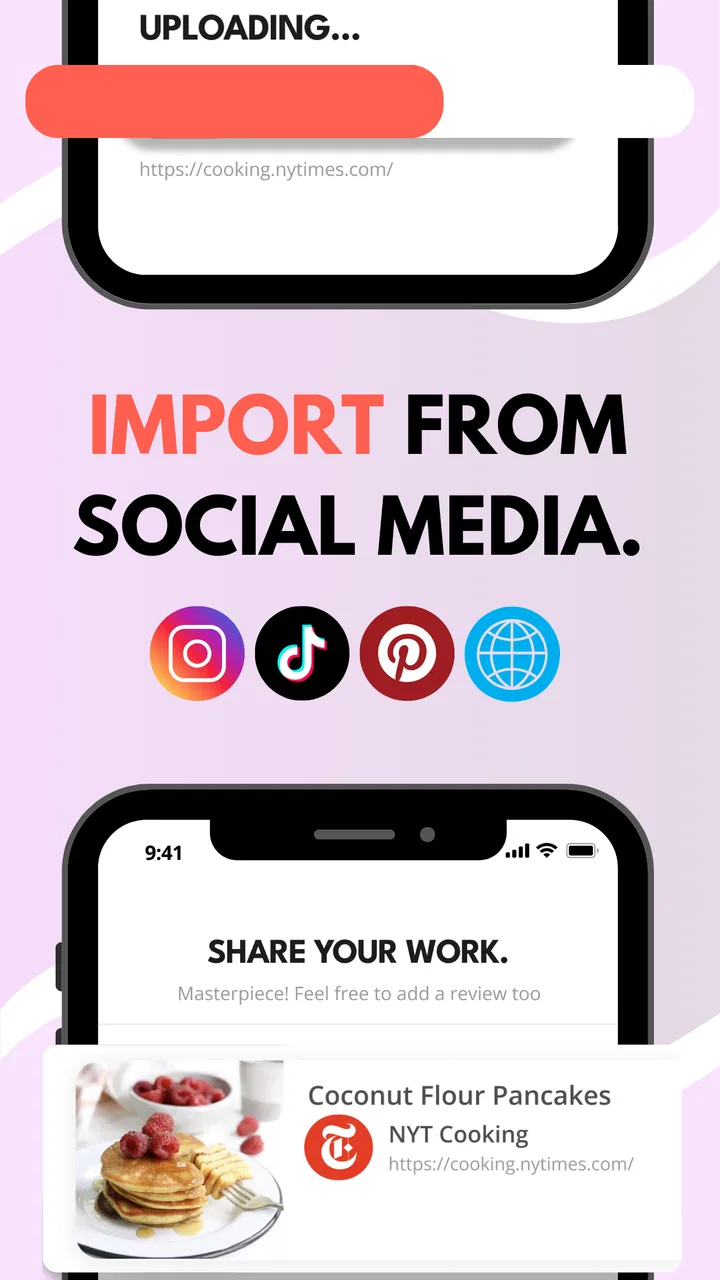
Yes, Pepper - Recipe Organizer allows you to share your favorite recipes with friends and family easily. You can share recipes via social media, email, or direct links. This feature ensures you can spread culinary joy and inspire others with your favorite dishes, making it a great tool for food enthusiasts.
04Does Pepper - Recipe Organizer support multiple devices?
Pepper - Recipe Organizer supports multiple devices by offering cloud synchronization for premium users. This feature allows you to access your recipes across different devices seamlessly, ensuring you have your recipe collection available whether you’re using a smartphone, tablet, or computer.
05How user-friendly is Pepper - Recipe Organizer for beginners?
Pepper - Recipe Organizer is designed with an intuitive interface that is user-friendly for beginners. The app offers a smooth navigation experience with clear instructions and tutorials. Even if you’re not tech-savvy, you’ll find it easy to add recipes, organize them, and explore its various features without hassle.
Pros
- User-friendly interface for easy navigation.
- Seamless integration with grocery lists.
- Customization options for meal planning.
- Cloud sync across multiple devices.
- Wide range of recipe categories.
Cons
- Limited offline functionality.
- No nutritional information provided.
- Ads can be intrusive at times.
- Requires account for full features.
- No option for video tutorials.

Pepper - Recipe Organizer
Gallery